Product tour
See Yantrio in action
Real screenshots from the live application, grouped by module. From modelling on the canvas to AI Studio, governance, reporting, and daily navigation. Click any image to view it full size.
Modelling
Model your architecture
A living ArchiMate 3.2 canvas with a typed palette, per-type glyphs, correct notation, and rich attributes on every element. The shots below follow one worked example: a bank replacing its core banking platform.
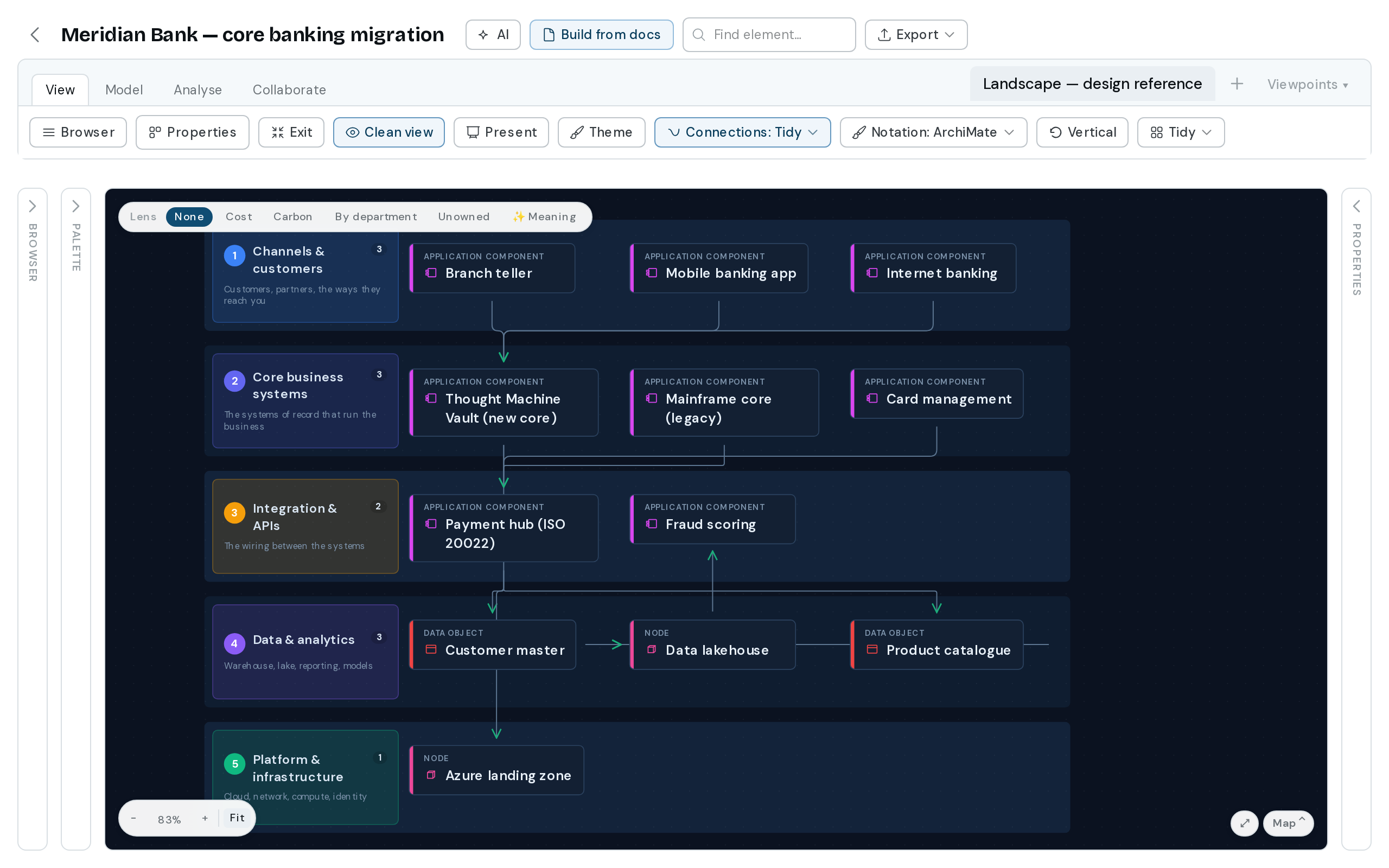
A core banking migration
Meridian Bank’s estate banded from customer channels down to the cloud landing zone. Both the legacy mainframe and the new core appear, because both run during the parallel period. Side rails collapse to give the landscape full width.
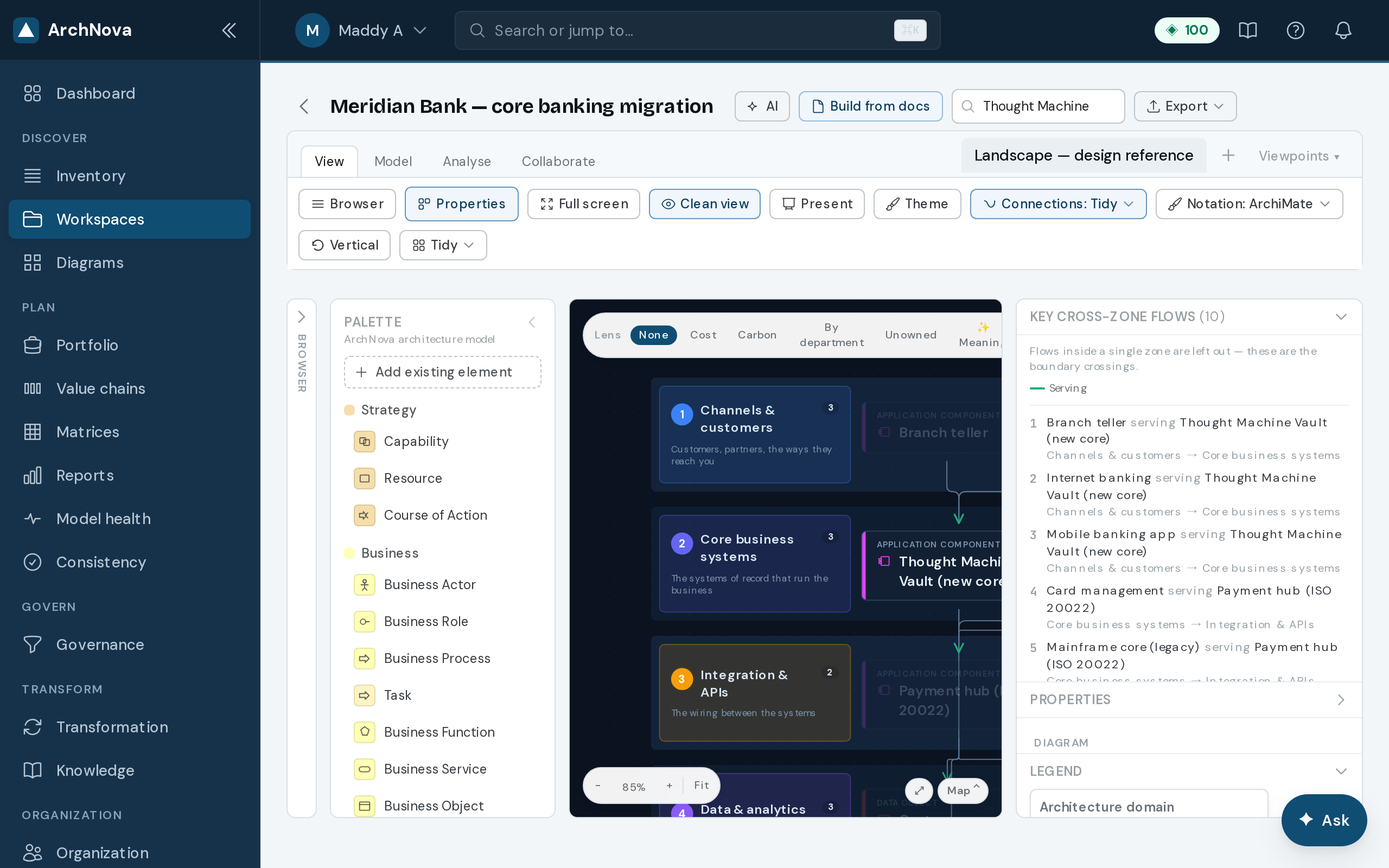
Element properties
Department, lifecycle, TIME, cost, carbon and more on every element, including the zone that places it in a band.
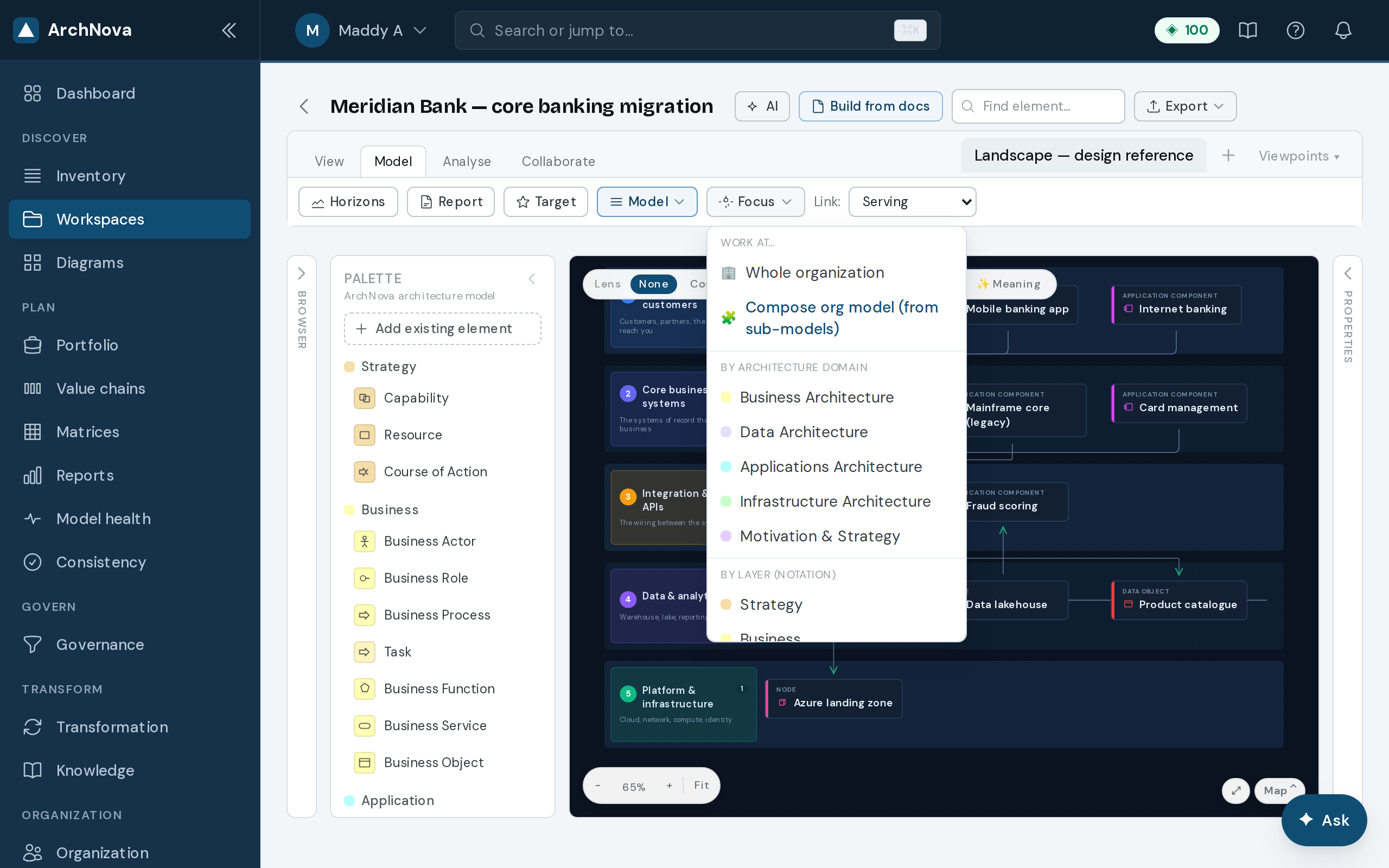
Focus & scope
Work at the whole-organisation, layer, or department level.
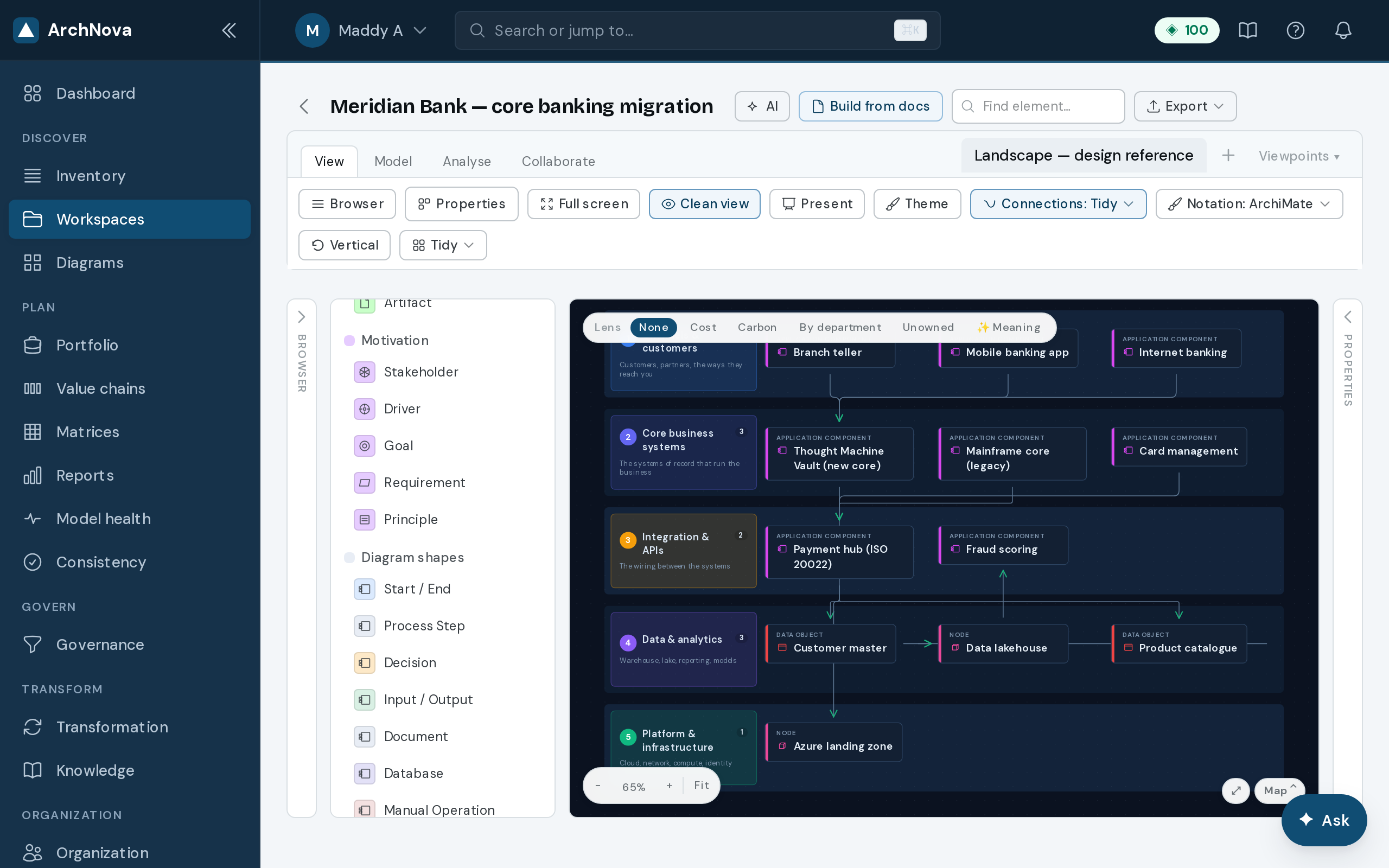
Diagram shapes
Flowchart, process-flow and sticky-note shapes, alongside the architecture types.
Viewpoints
See your model any way
The same elements, re-drawn for the conversation: swimlanes, layered stacks, quadrants, flow notation, cost heatmaps.
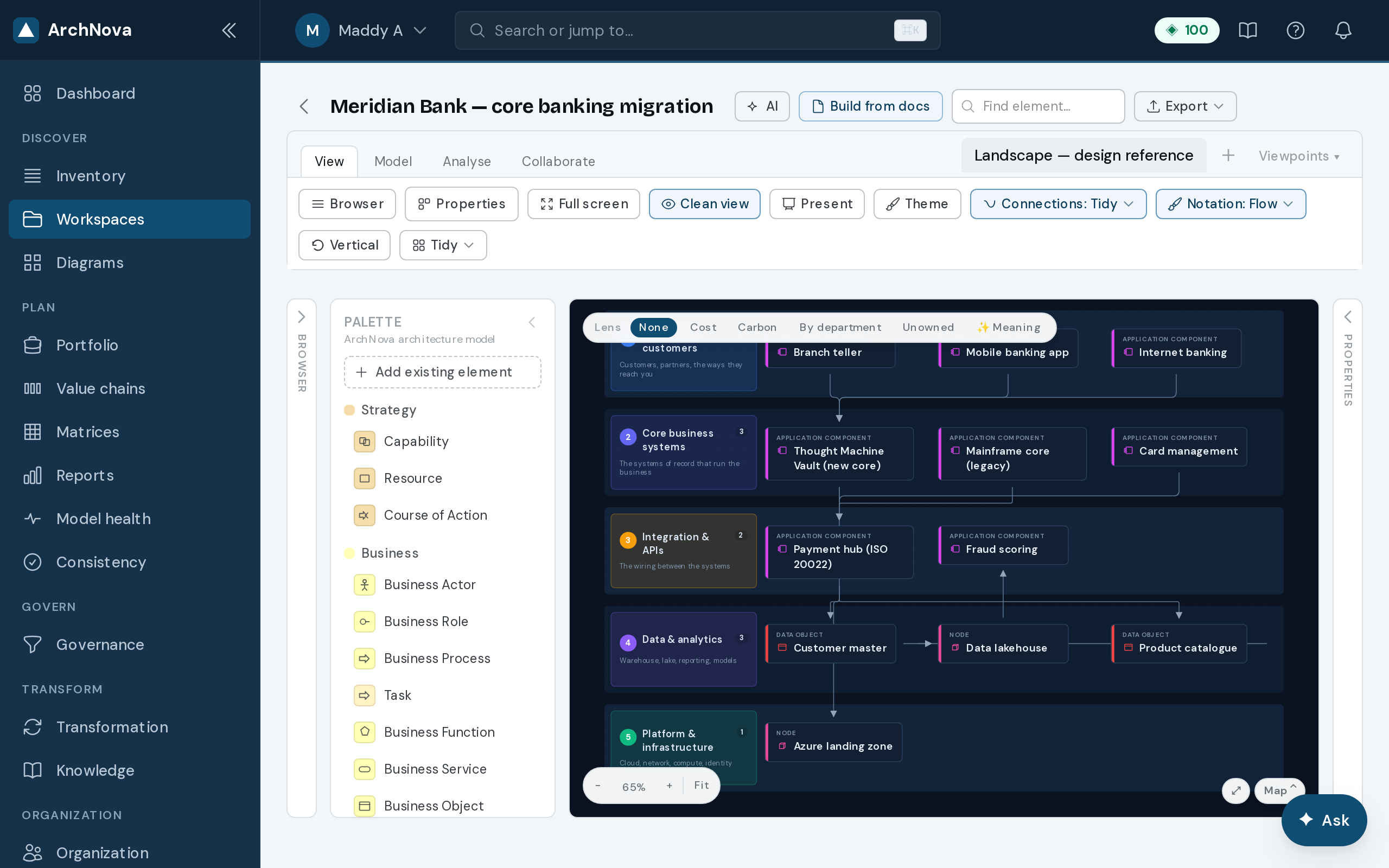
Flow notation
BPMN-lite task boxes with sequence flow and start/end markers.
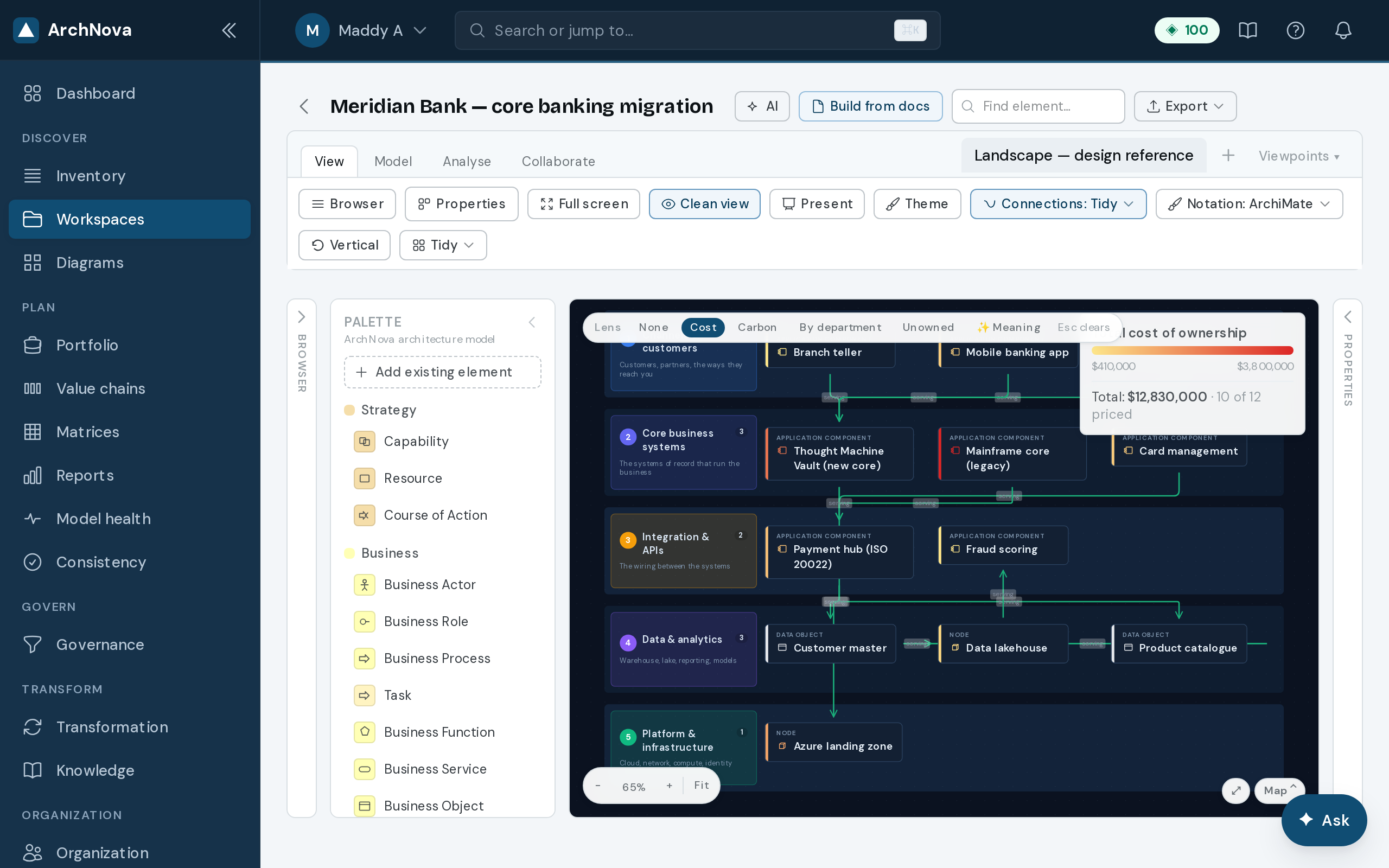
Cost / carbon heatmap
Shade by TCO or carbon, with totals and coverage — here £12.8M across the estate, and how much of it is actually attributed.
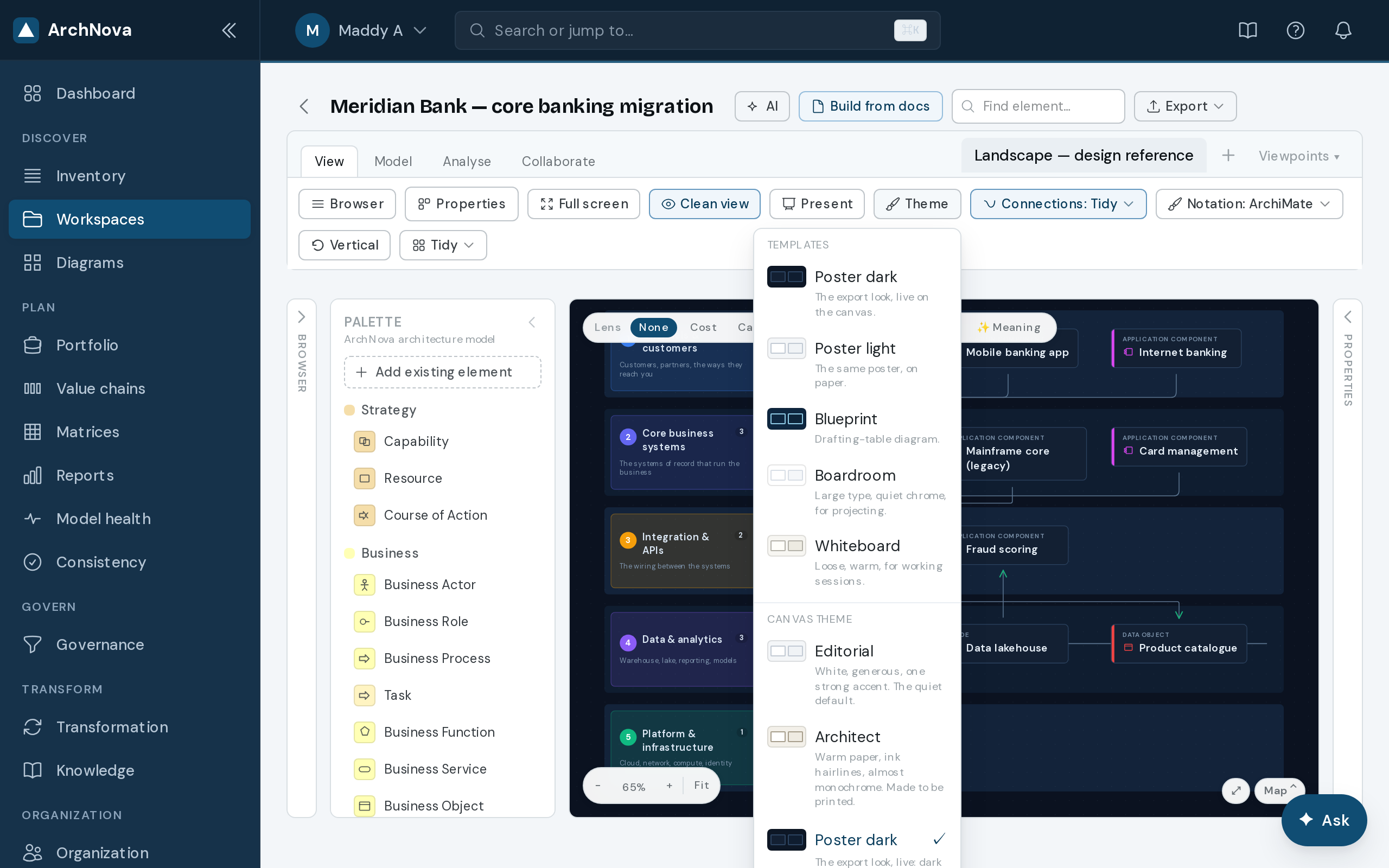
Colour themes
Recolour the whole diagram by layer in one click.
AI Studio
AI, built in, on your own key
Build a model straight from your documents and run AI initiatives through a governed lifecycle. Ask your models questions in natural language. Bring your own AI key.
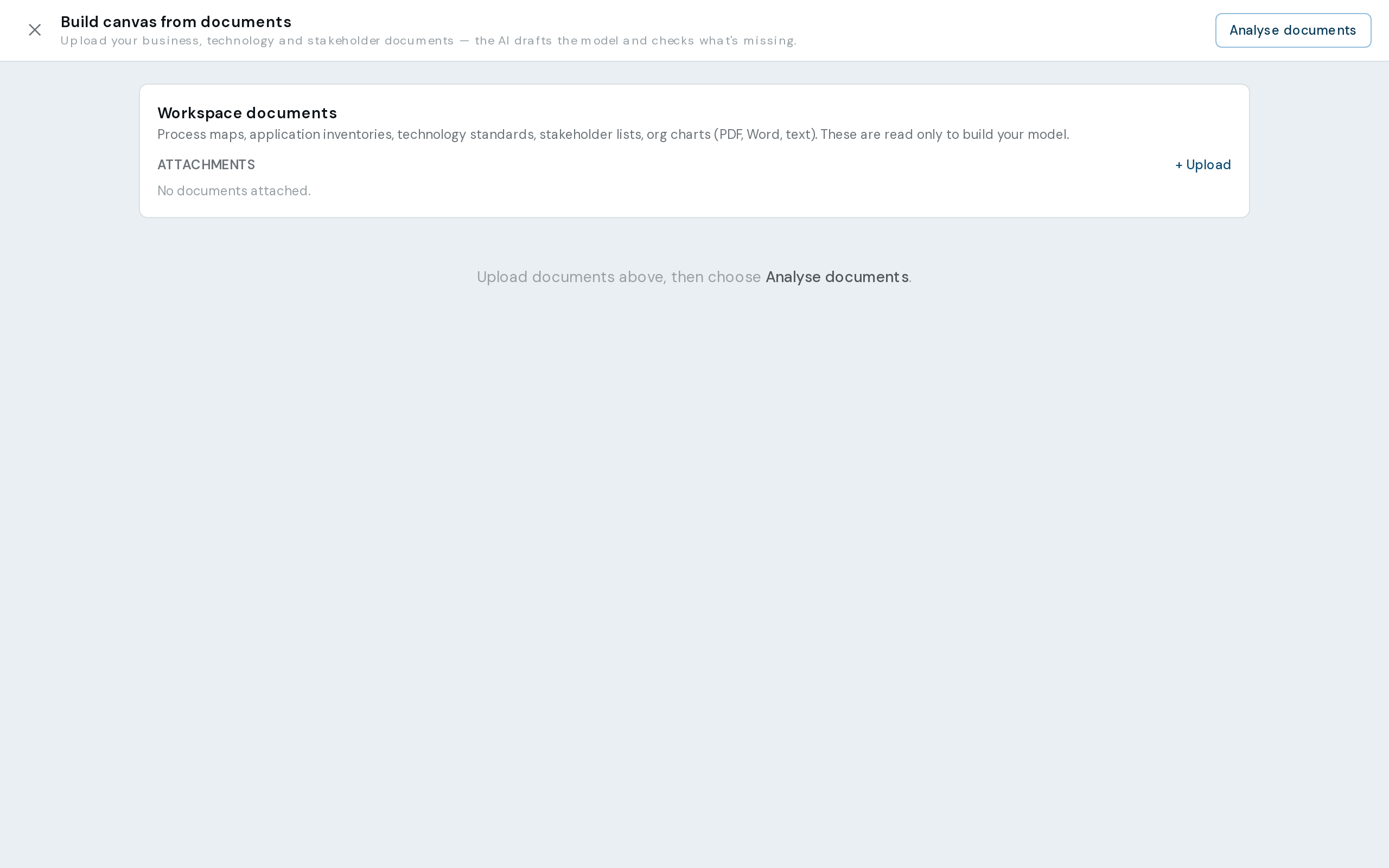
Build from documents
Upload your documents; AI drafts the model and flags what is missing. You review, then apply.
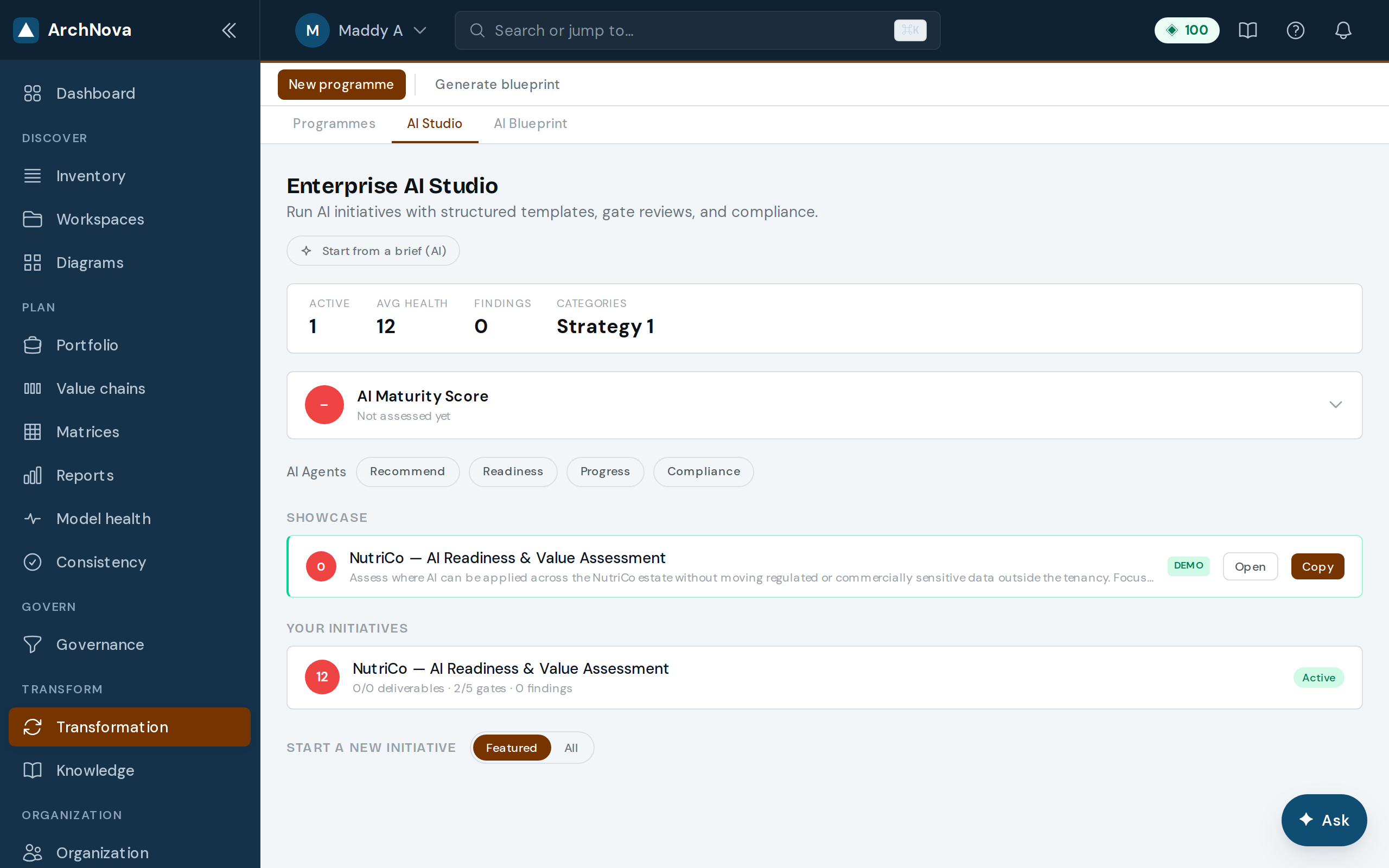
AI Studio
Maturity, agents, templates and your initiative portfolio.
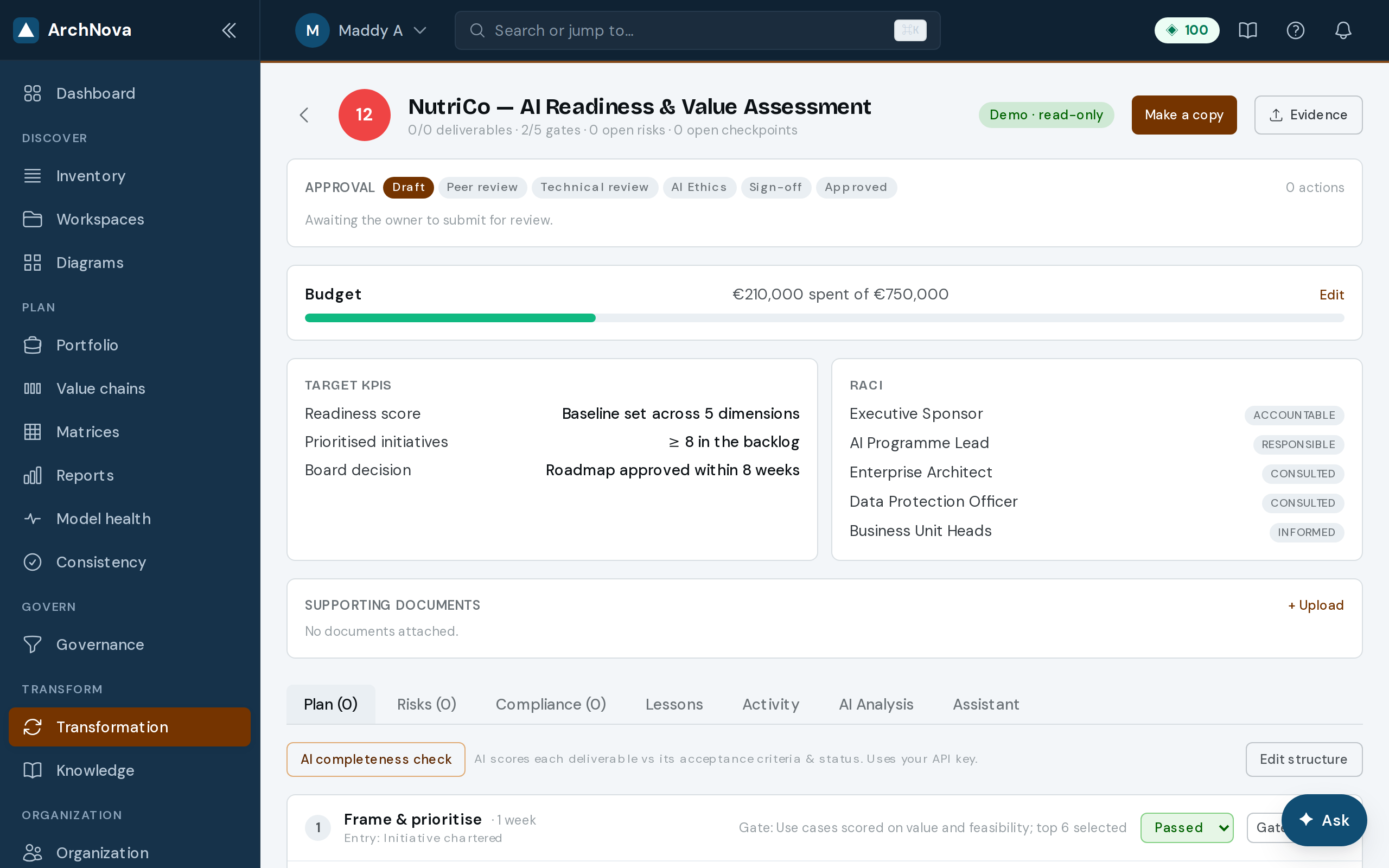
A governed initiative
Phases, gates, deliverables, RACI and compliance checkpoints.
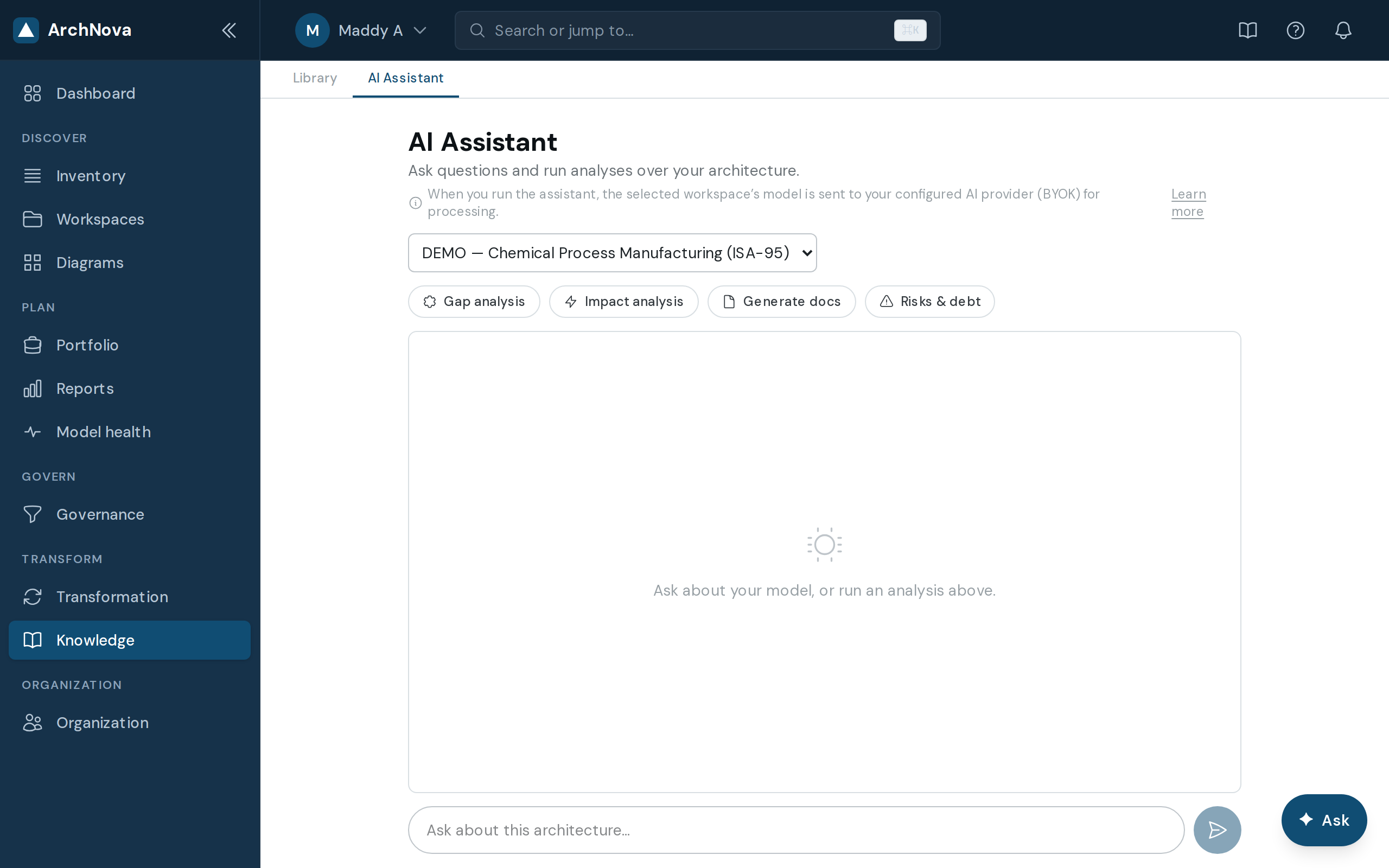
AI Chat
A grounded assistant that reasons over your model and cites elements.
Transform & assess
Drive transformation & assess governance
Standalone modules that turn documents and frameworks into action: value-driven transformation programmes, and framework-anchored governance maturity. Both AI-assisted on your own key.
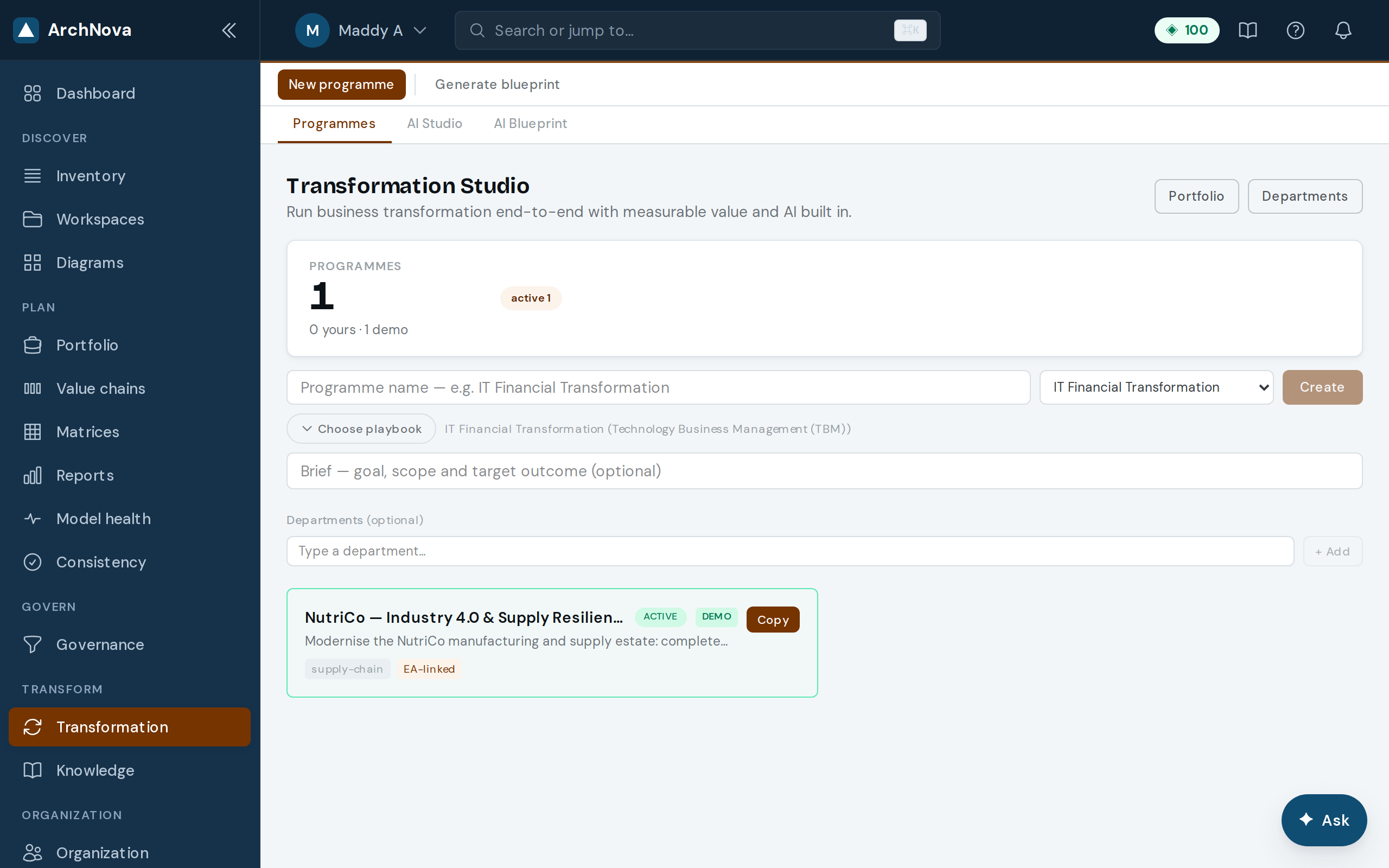
Transformation Studio
Programmes, domain playbooks, departments and benefits realisation.
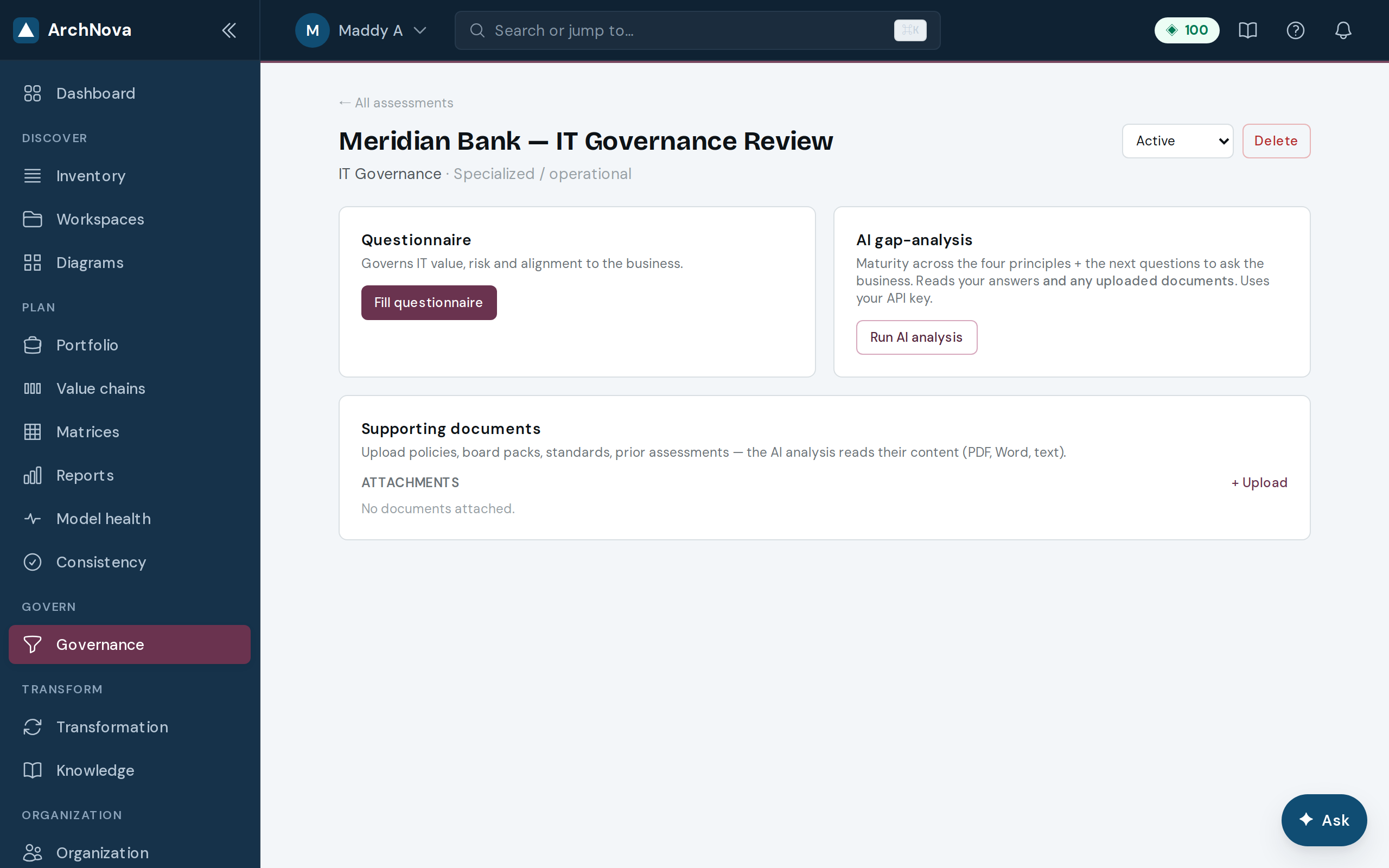
Governance Assessment
Framework questionnaires with AI gap-analysis over your uploaded evidence.
Govern
Govern & manage the estate
The disciplines around the model: decisions, risks, reviews, portfolio lifecycle, M&A comparison, and stakeholders.
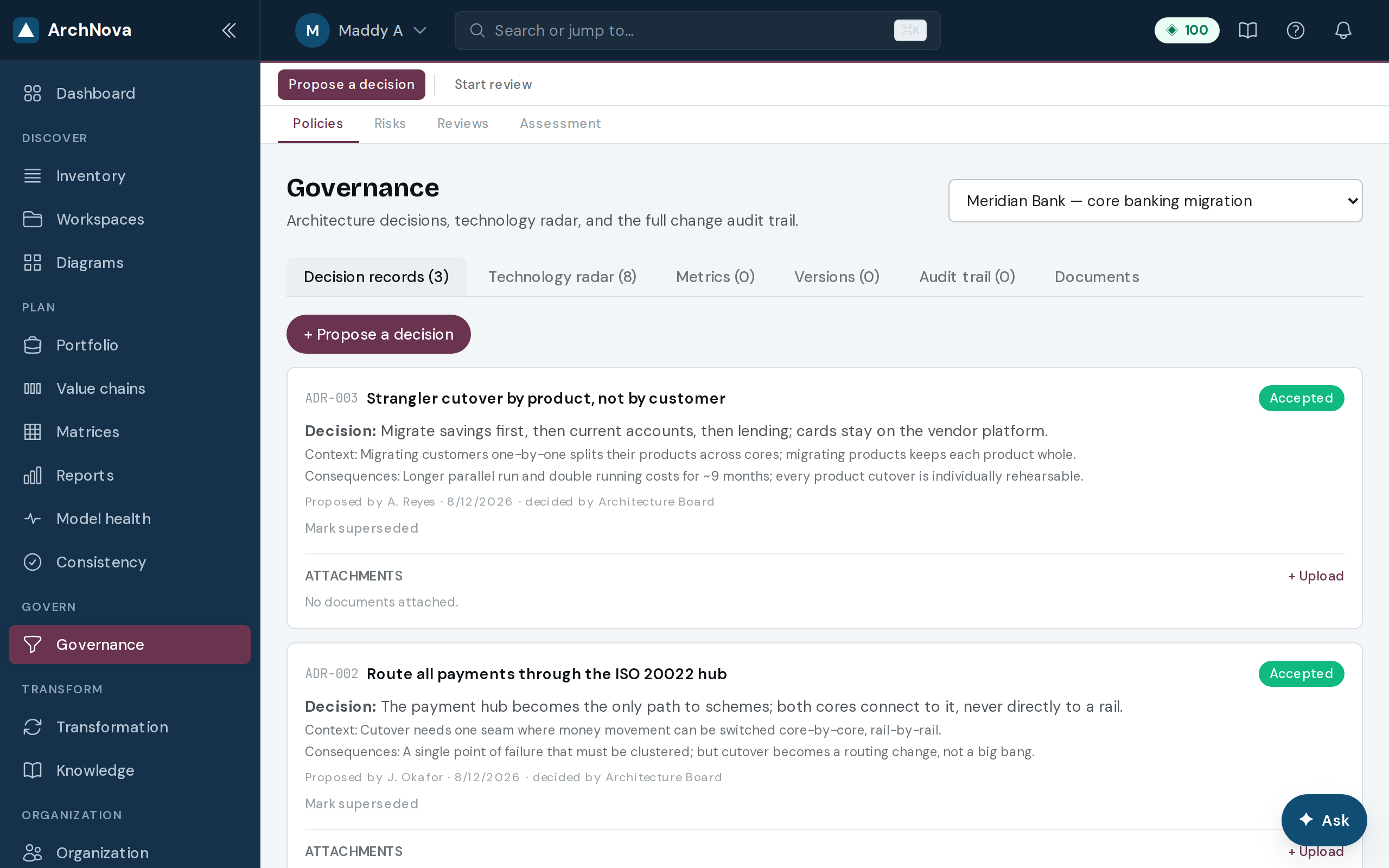
Governance
ADRs, Technology Radar, classifications and audit trail.
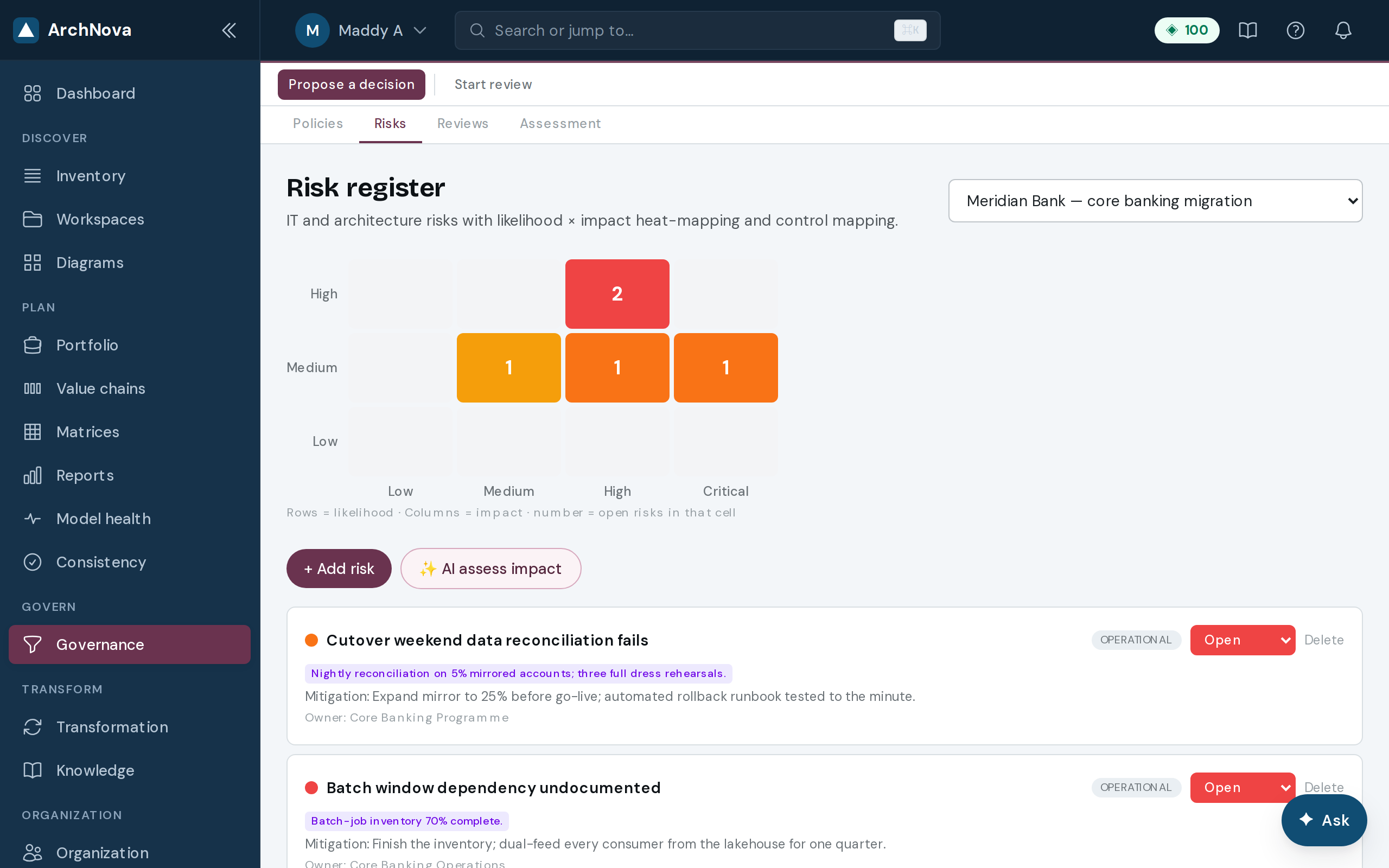
Risk register
Score and mitigate architecture risks with clear ownership.
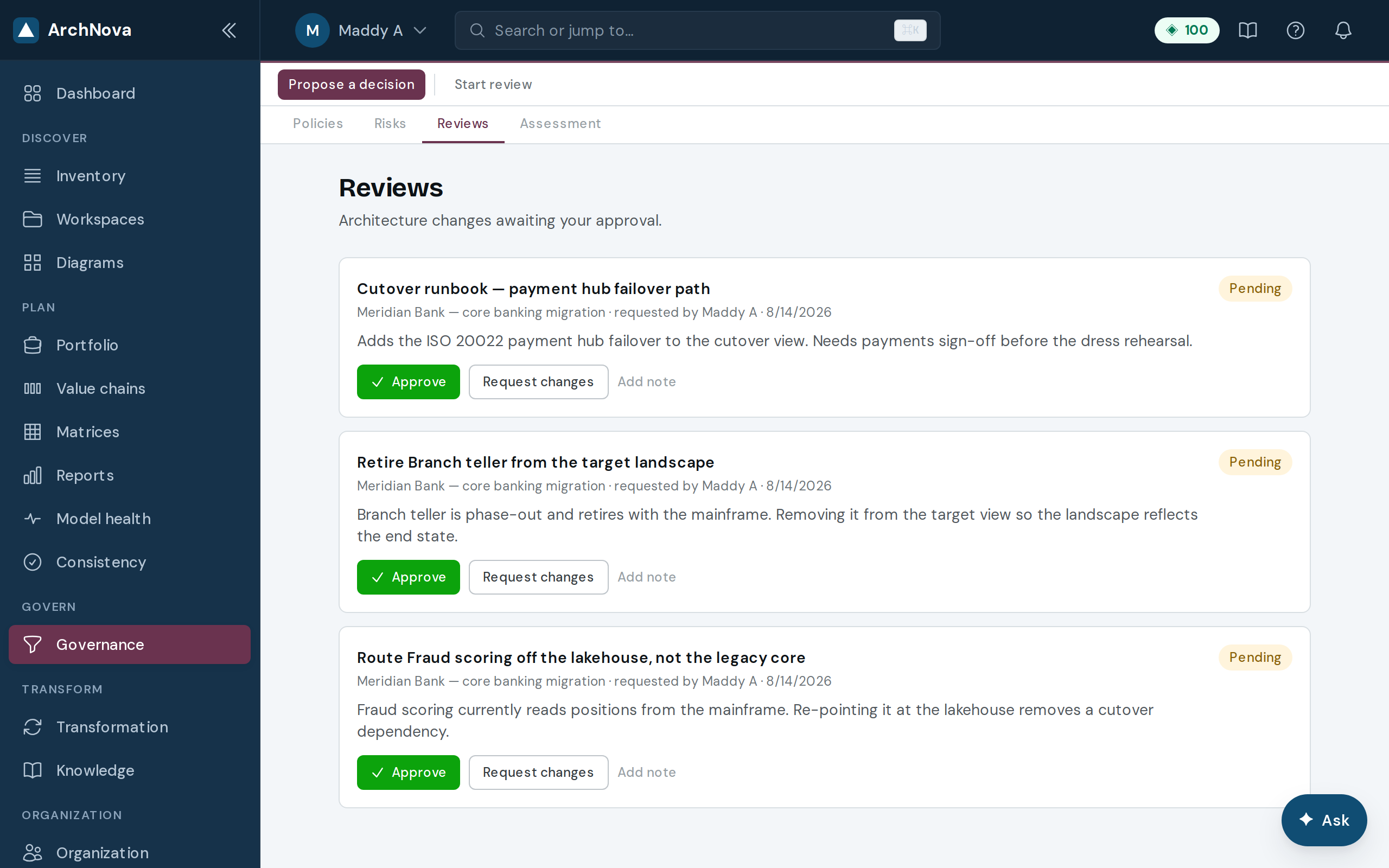
Reviews & approvals
Move changes through structured sign-off.
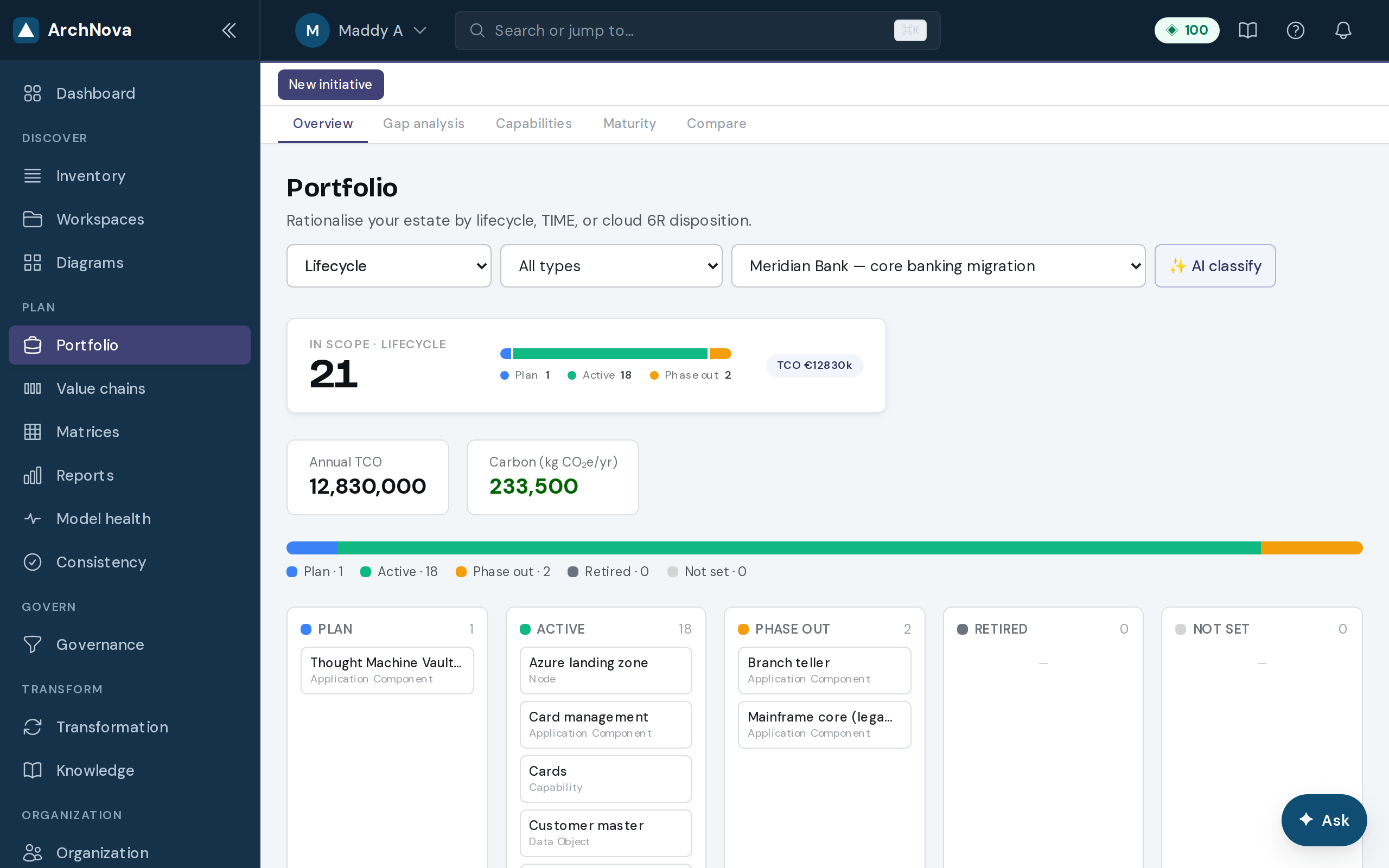
Portfolio
Application and technology lifecycle across the estate, with cost and carbon totalled as you filter.
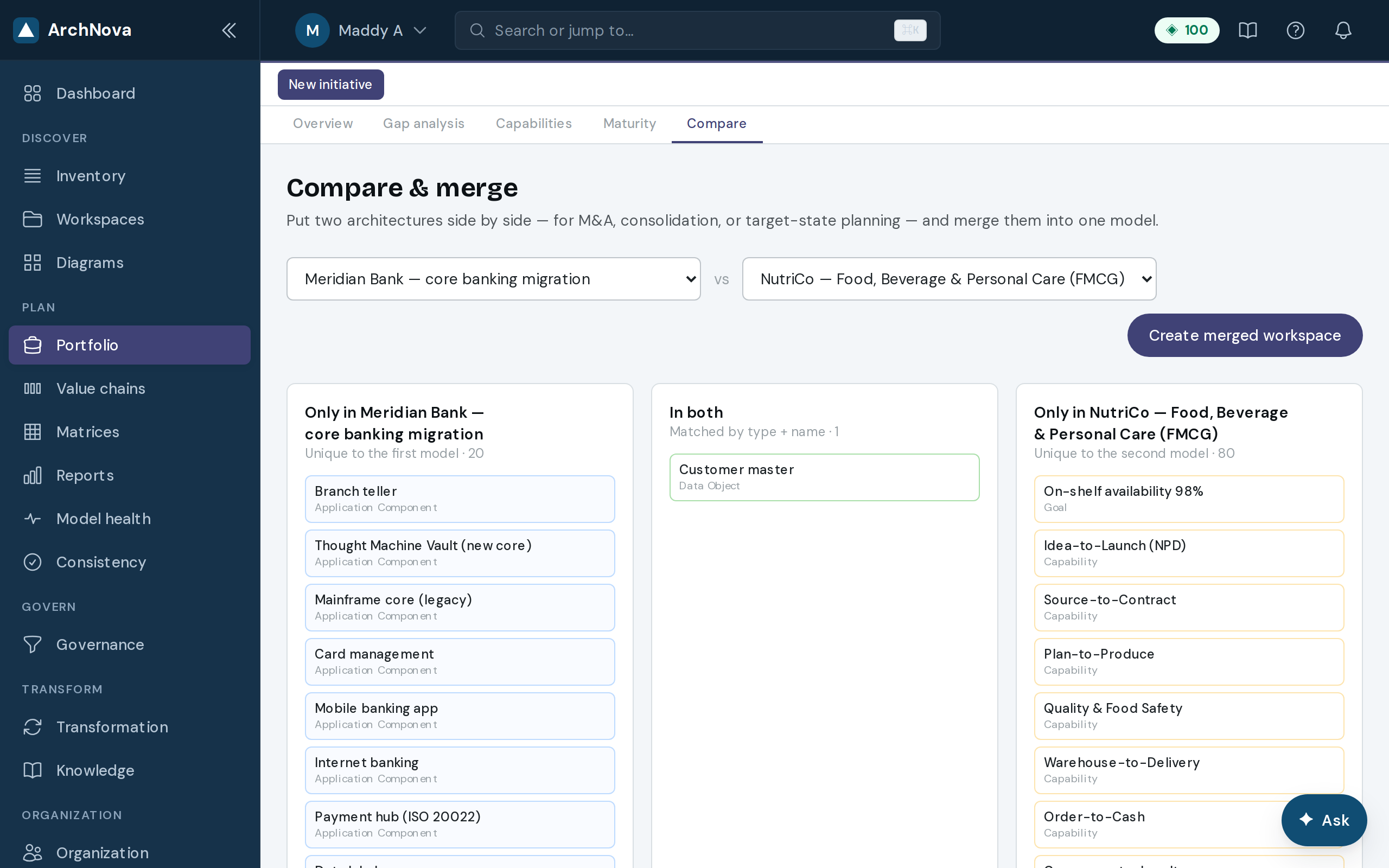
Compare (M&A)
Two architectures side by side for due diligence — what only one side has, and what both duplicate.
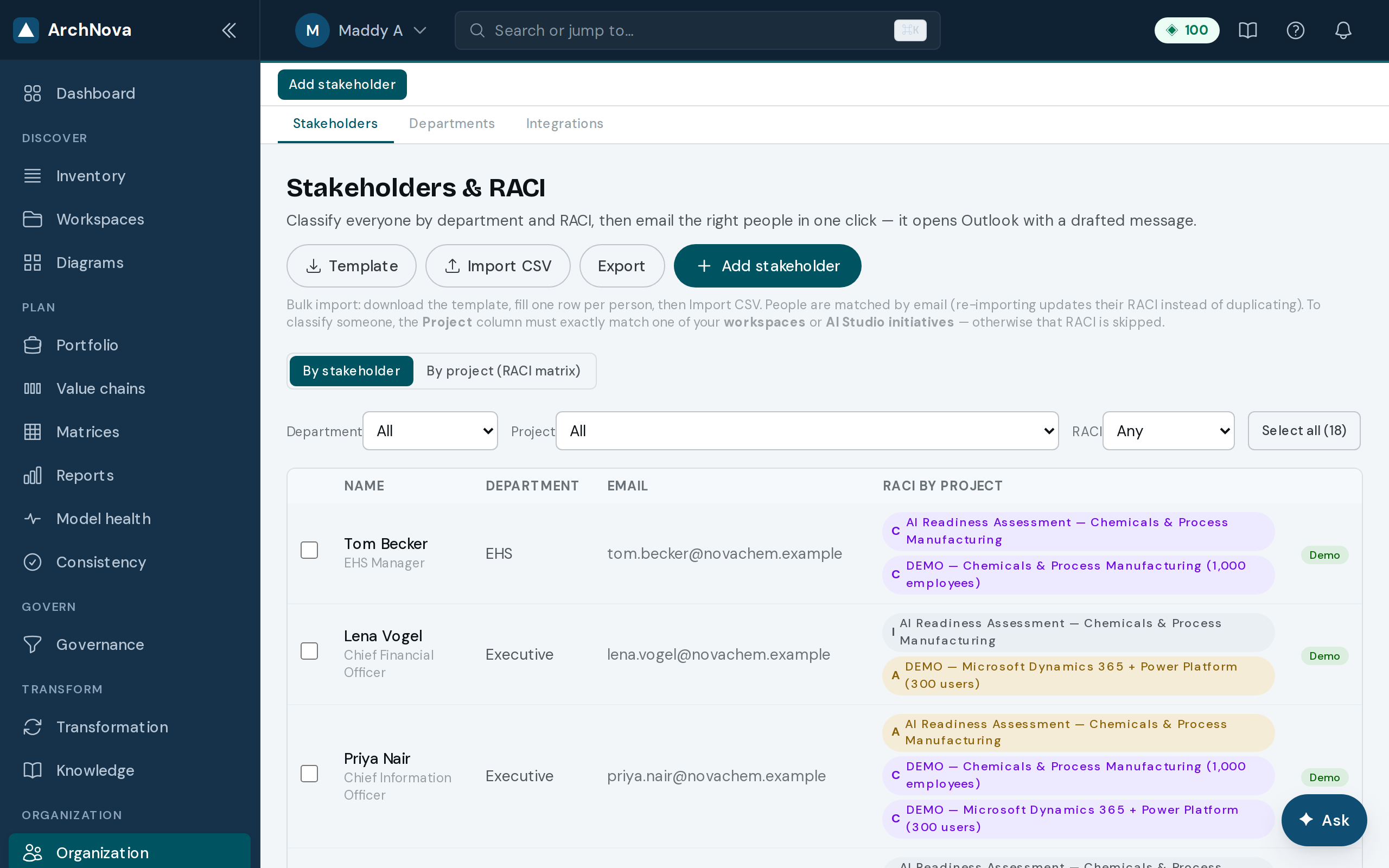
Stakeholders
Stakeholders and RACI against your work.
Deliver
Report & bring data in
Board-ready reports, and import from the EA tools you already use.
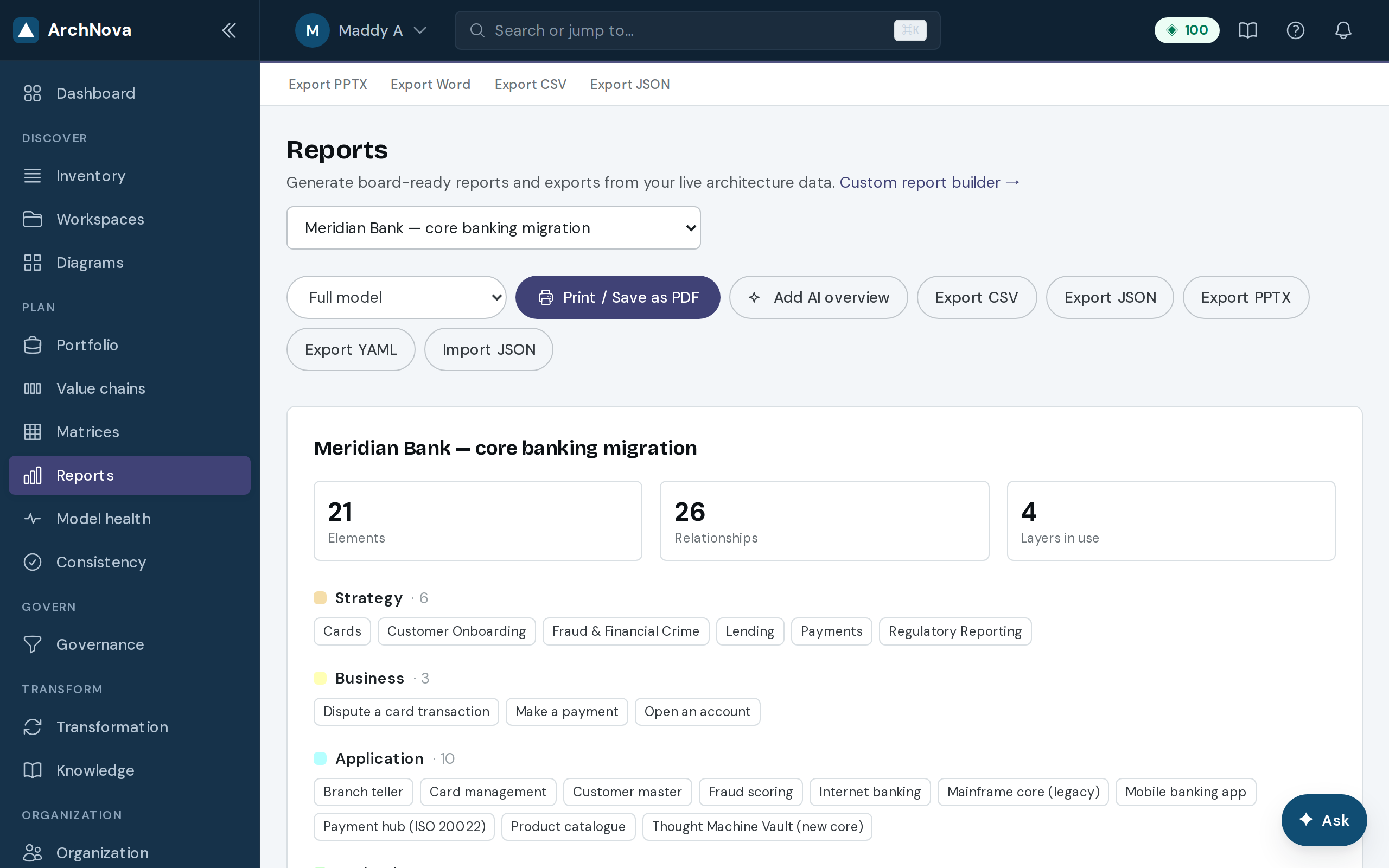
Reports
A template library with a custom builder and scheduled delivery.
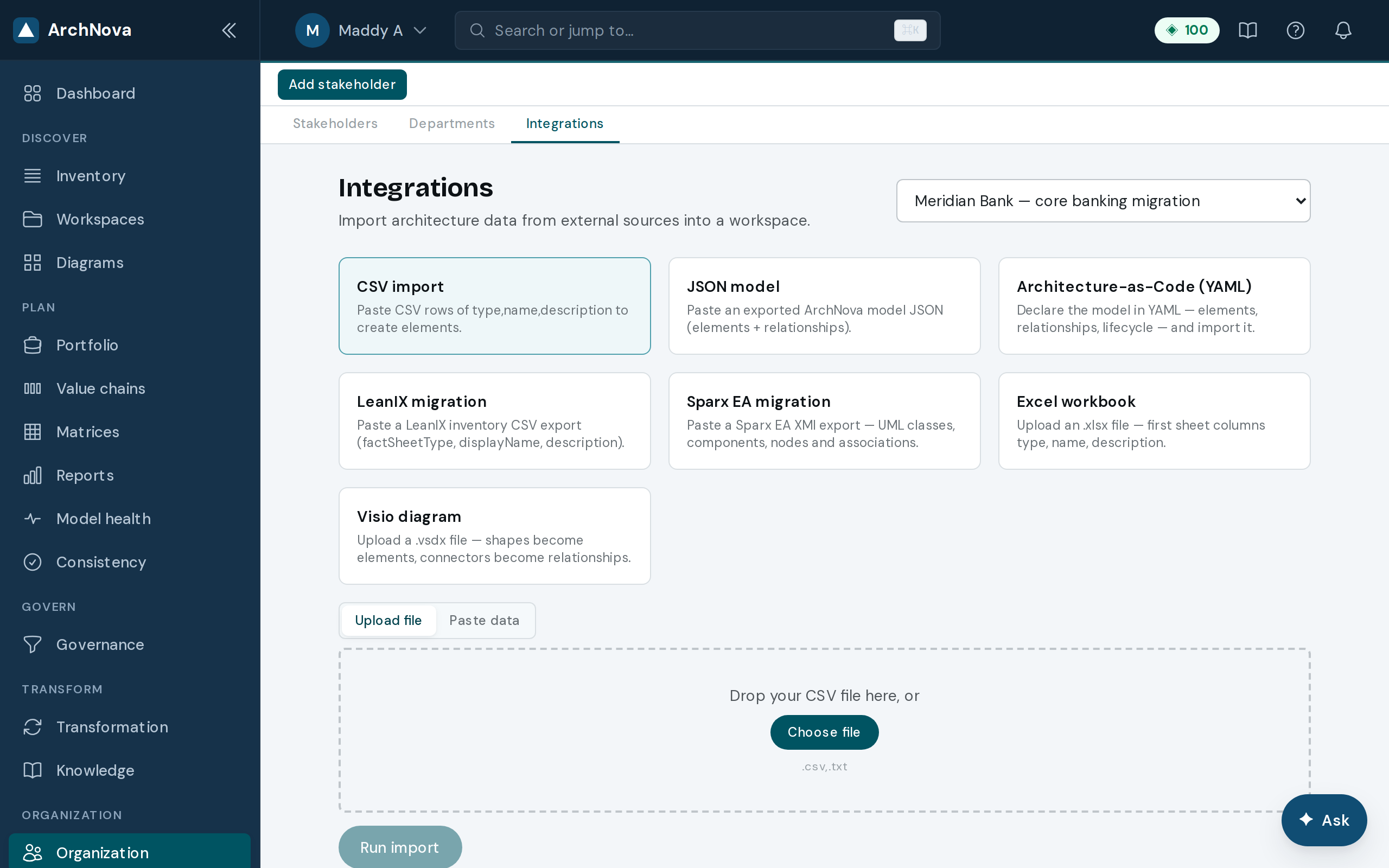
Integrations
Import from LeanIX, Sparx, Excel, Visio, or code; signed webhooks out.
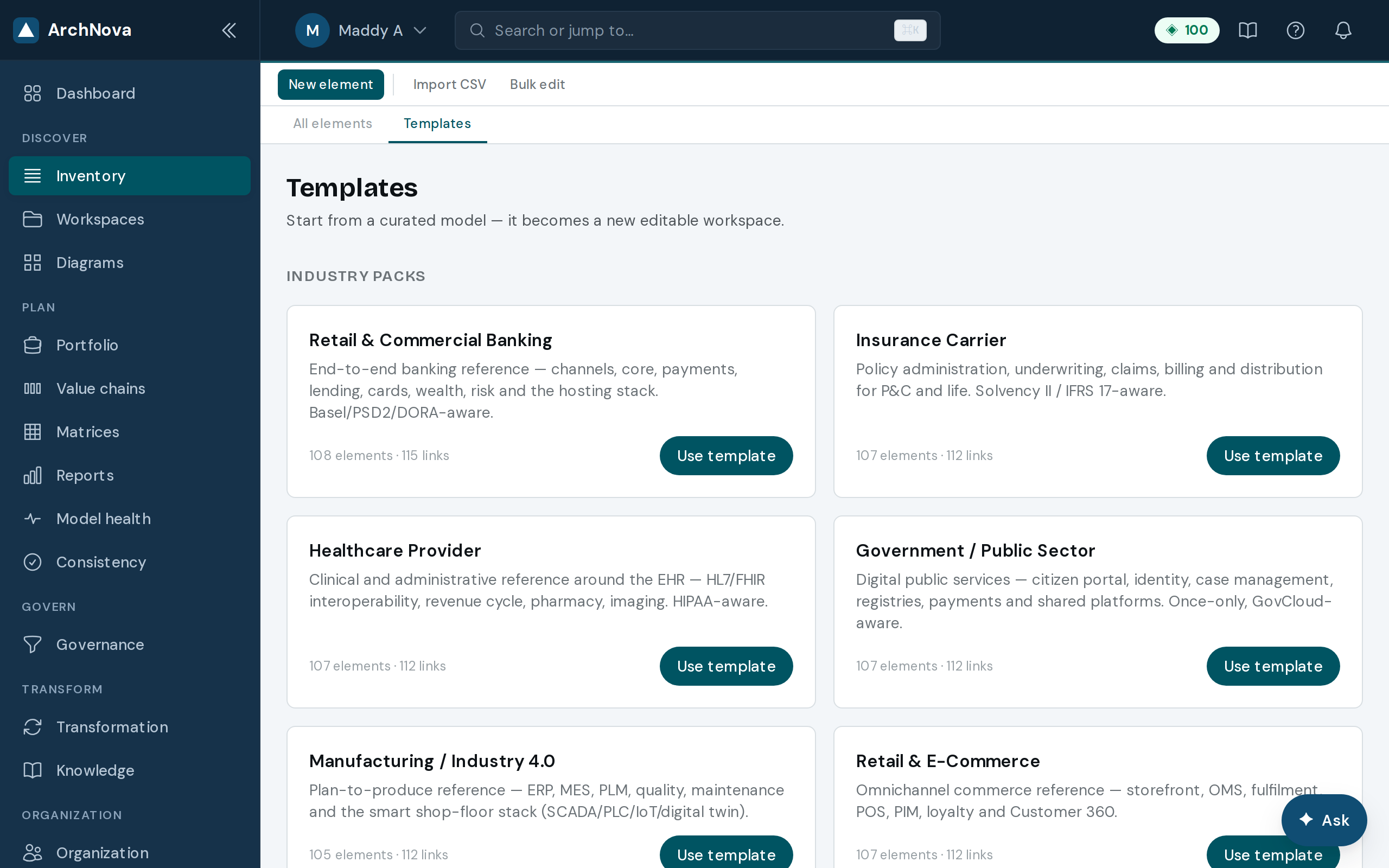
Templates & packs
Start from a framework scaffold or industry pack.
Everyday
Find your way, fast
A launcher and dashboard that summarise your work, plus a command palette to jump anywhere. Each person, and each admin, can tailor their sidebar.
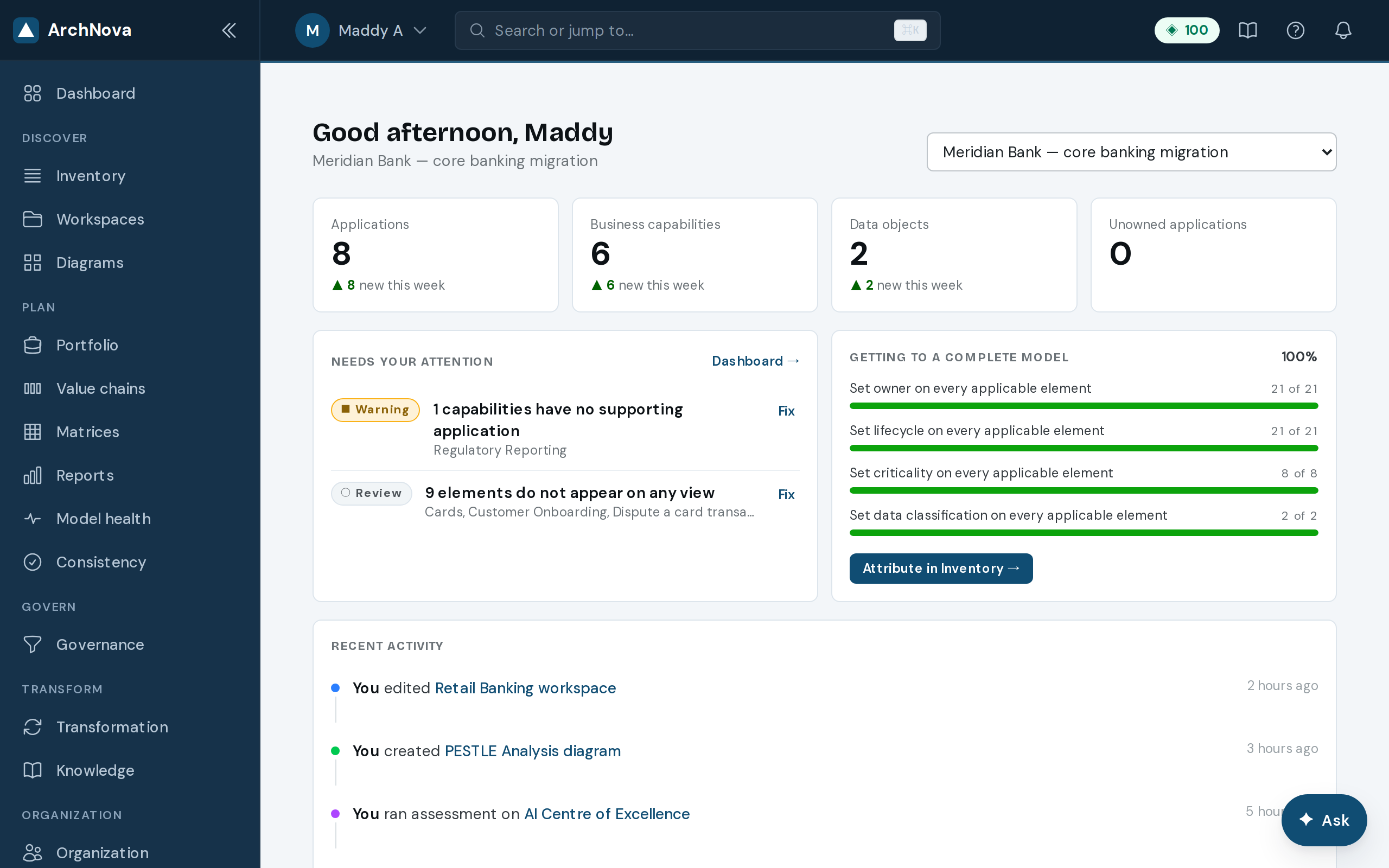
Home launcher
A tile per module. Jump straight to where you work.
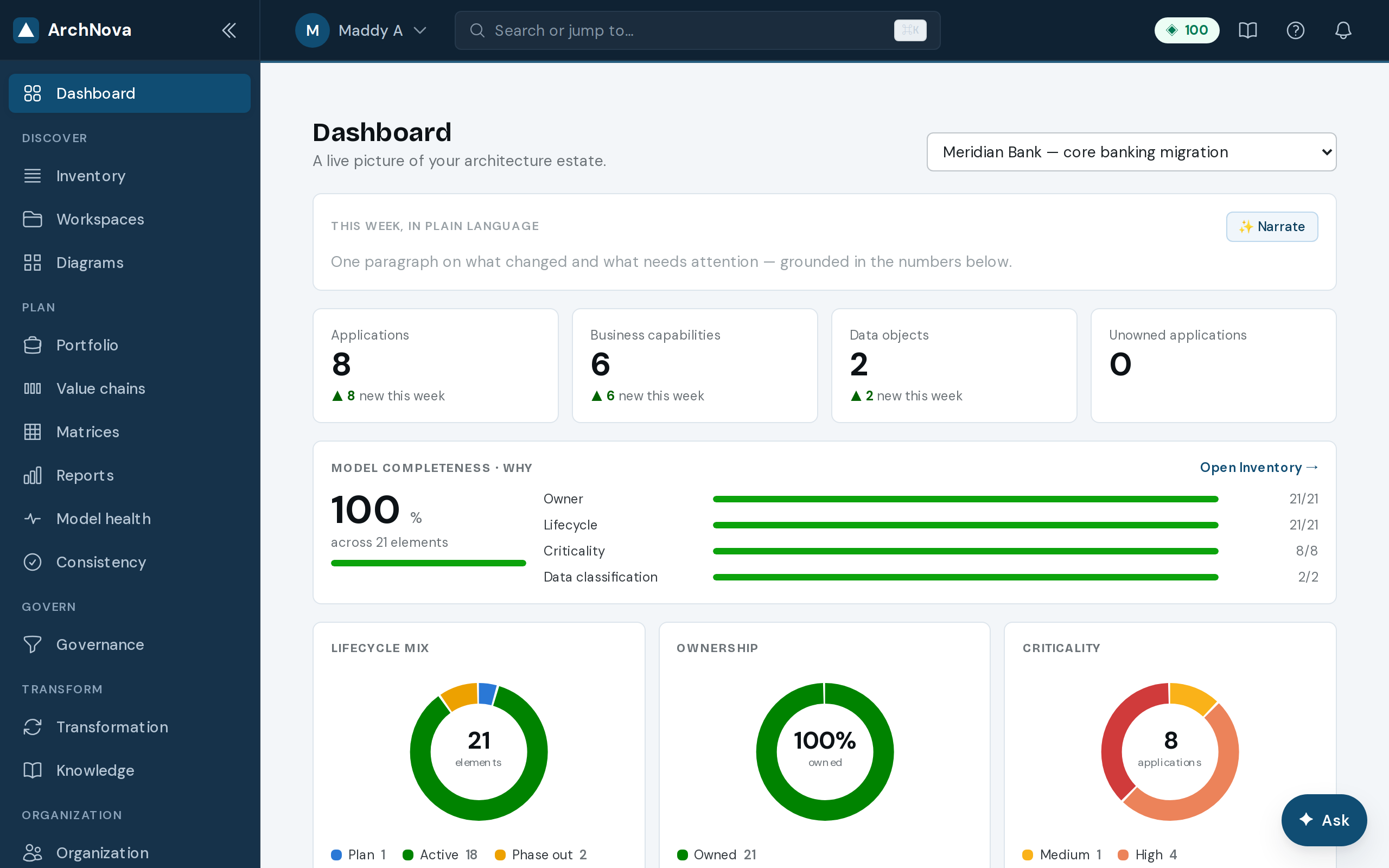
Dashboard
Recent activity and health metrics, with quick actions.
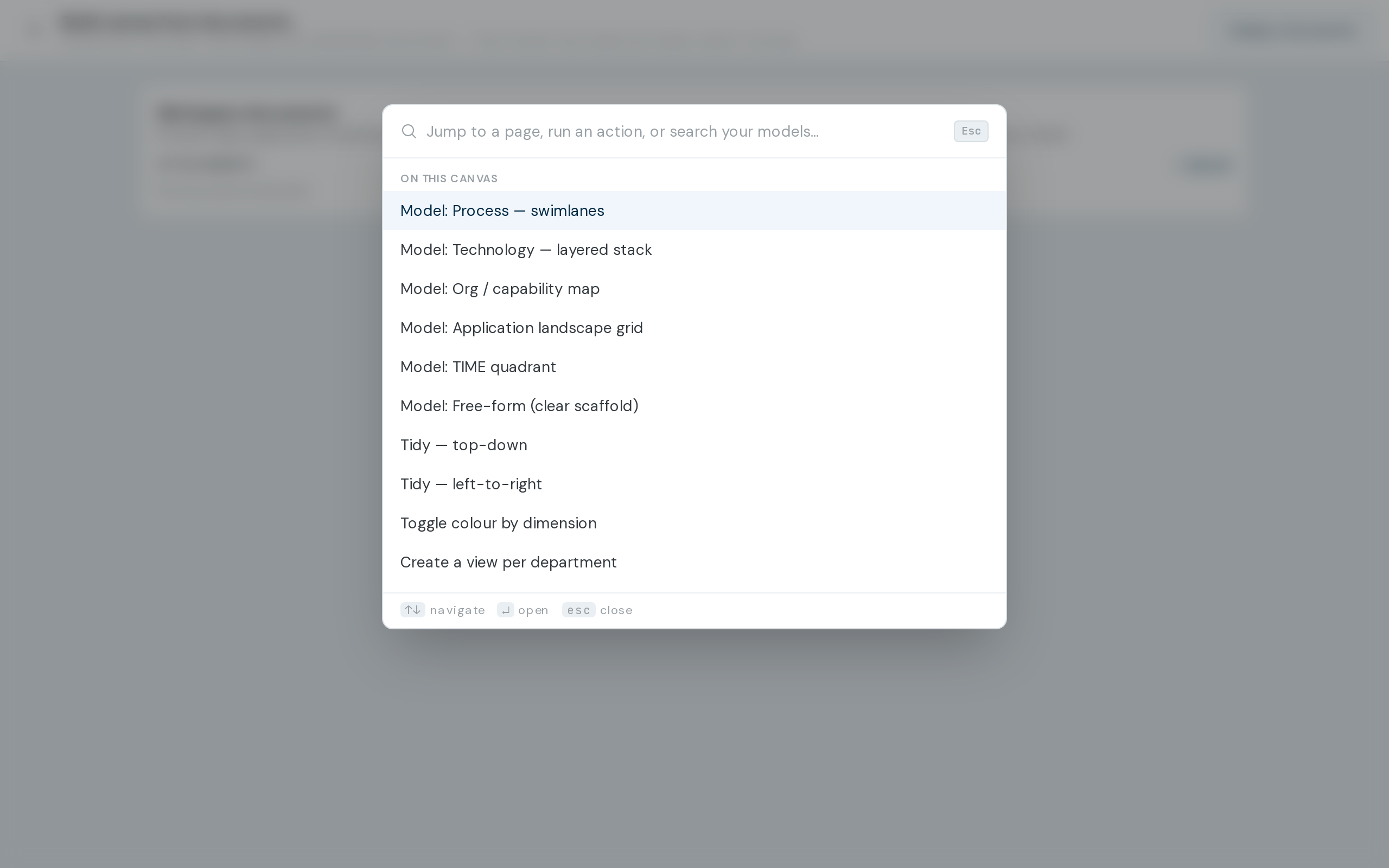
Command palette
Press ⌘K to search or run any action.
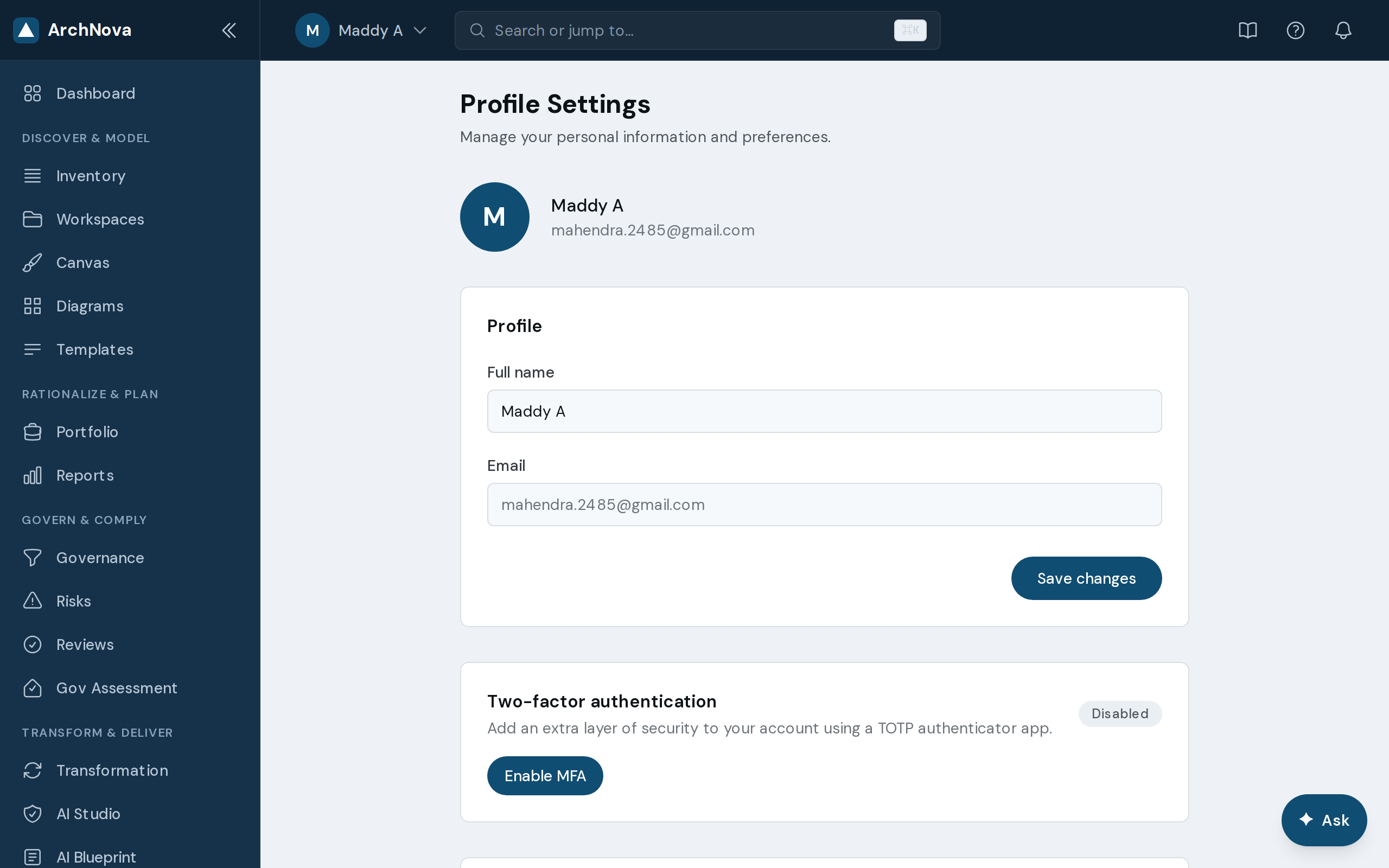
Your modules, your way
Show or hide modules per person; admins set org-wide defaults.
See it with your own architecture
Request access and bring in an existing model, or start from a template.